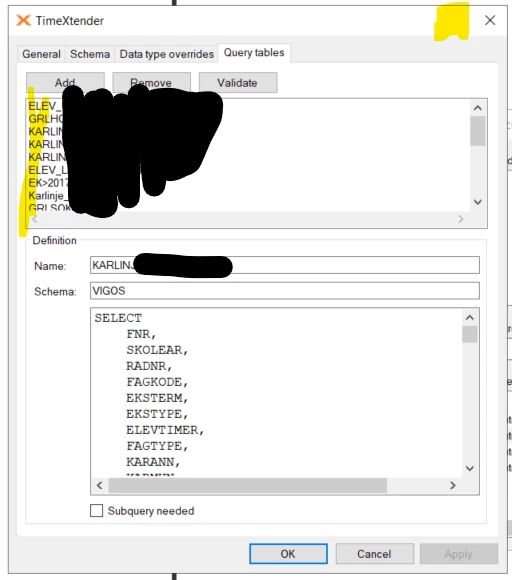
The Query Tables editor is exremely impractical to work with. We have quite a few Query Tables and the issues are:
- The list of current query tables is not sorted in any way. The sorting seems totally random. Even when you create new query tables. Please allow sorting of this list. Alphatecially is 10x improvement.
- Please make it possible to maximize the Data Source Settings window. This would include the Query Tables editor. With larger SQL statements it is extremely cumbersome to use the tiny window. It is not even possible to make the window larger by dragging its edges.
Originally posted on the Timextender Community (Gainsight), 2026-03-20, with 3 votes.